Industry News
How to annotate a PDF effectively?

PDFs are ubiquitous in marketing, communications, and creative teams. Documents circulate daily between multiple stakeholders. Yet, annotating a PDF remains a source of wasted time when feedback is scattered. Therefore, teams today are looking for PDF annotation tools capable of centralising exchanges and streamlining approvals.
What does annotating a PDF mean?
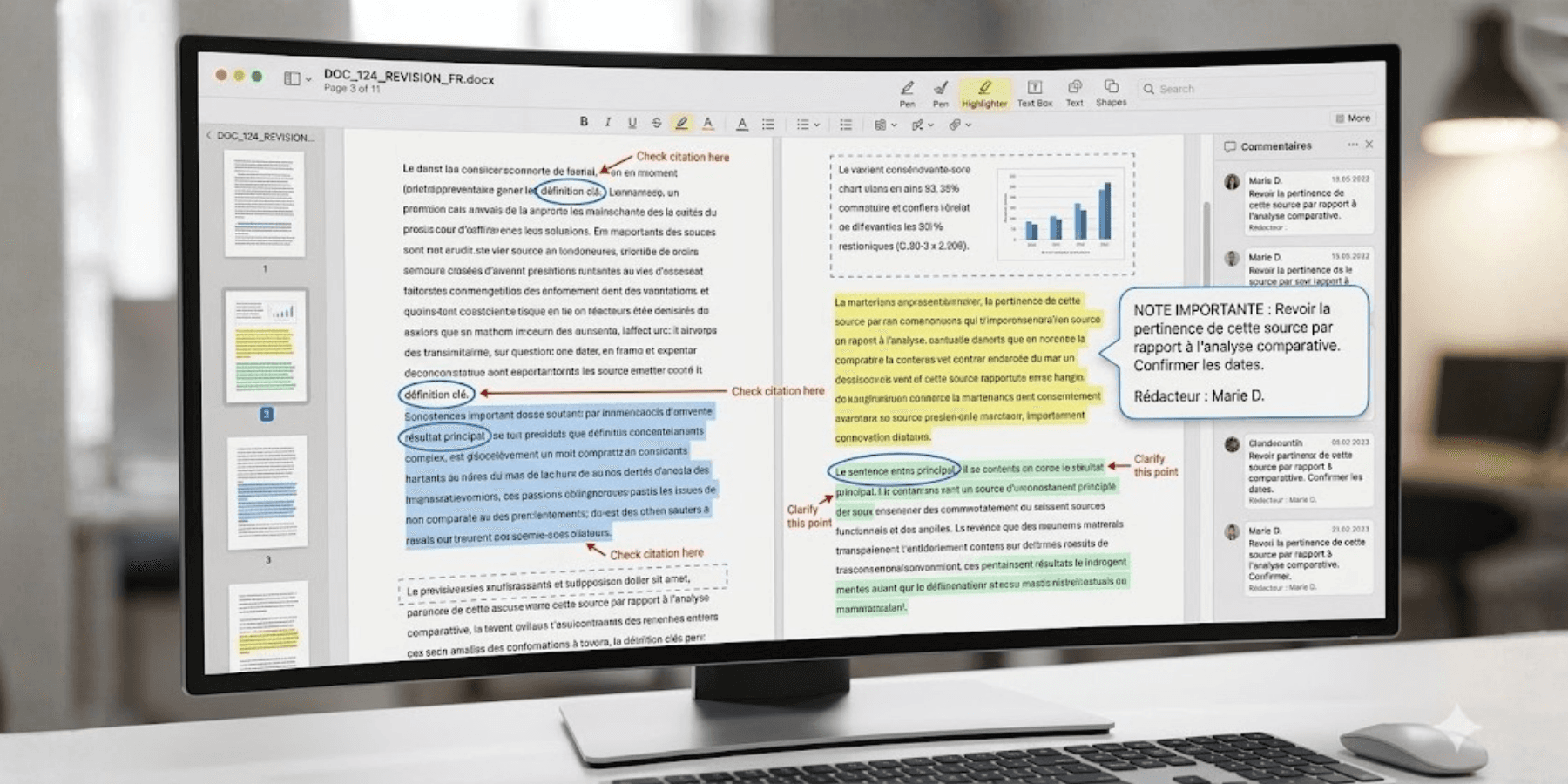
Annotating a PDF consists of adding annotations, comments, or indications directly into PDF documents. This practice can take several forms depending on the type of annotation used: highlighting, drawing, arrows, comments, or adding text boxes.
The objective is to allow teams to give precise feedback on a document without having to multiply external exchanges.
In marketing and communications departments, PDF annotation often occurs in the approval processes:
approval of a layout;
correction of a print asset;
review of a catalogue;
annotations on a brief;
legal or regulatory compliance approval;
exchanges with an agency or provider.
Thanks to PDF annotation tools, each stakeholder can comment precisely on an area of the document and facilitate corrections.
Why has PDF annotation become indispensable?
Reducing back-and-forth
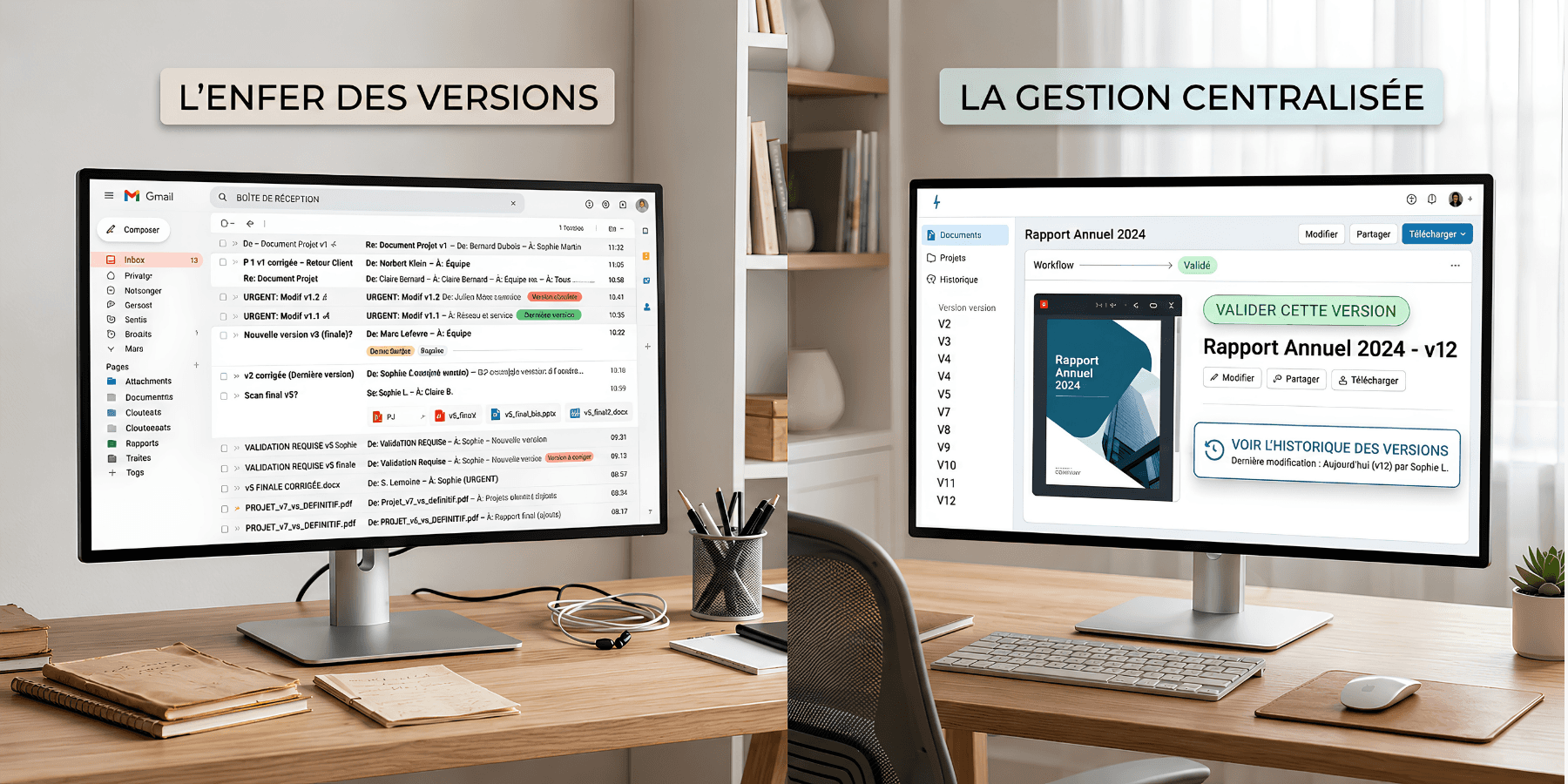
Without an adapted tool, approvals quickly become complex. Comments arrive in multiple emails, certain modifications are forgotten, and teams no longer know which version is the right one.
Annotation tools allow feedback to be centralised directly on the document. Exchanges become clearer and approvals faster.
Teams can thus add comments, track corrections, and keep annotated data accessible to all stakeholders.
Improving the precision of feedback
Annotating a PDF directly makes it possible to indicate precisely the expected modifications.
Instead of explaining a correction in a long email, the user can circle an area, add a remark, or highlight an important element.
This precision reduces misunderstandings and improves the quality of corrections.
Fluidifying collaboration
In creative projects, several people often work on the same document: marketing, communications, management, legal, or external providers.
A PDF annotation tool allows exchanges to be centralised in a single space and avoids scattered approvals.
Teams thus gain visibility and fluidity.
What can you do with a PDF annotation tool?
Modern PDF annotation tools now allow far more than just adding simple comments. They offer a wide range of features to annotate files quickly and collaborate effectively.
Adding contextualised comments
Users can add comments directly on a specific area of the PDF.
This contextualisation facilitates the work of creative teams and reduces interpretation errors.
Drawing and framing areas
Annotation tools also allow users to draw, circle, or point to specific elements.
This feature is particularly useful for graphic layouts, brochures, or communication materials.
Highlighting important content
Highlighting allows attention to be drawn to certain key information: text to be modified, legal notices, or elements to be corrected.
This simplifies approval processes and speeds up decision-making.
Adding text boxes
Some tools also allow integrating text boxes directly into the document.
This feature facilitates the annotation of PDF files and improves the understanding of feedback.
Centralising approvals
Annotations are grouped directly within the document, which avoids scattered exchanges.
Teams have a clear view of the requested modifications and the progress of approvals.
Why annotate a PDF online?
Accessing documents anywhere
Online PDF annotation tools allow access to documents from any device.
Teams can thus collaborate remotely and approve content without depending on a specific workstation.
Working in real-time
Online annotation facilitates exchanges in real-time.
Teams immediately see the added comments and can react quickly.
This responsiveness significantly improves approval times.
Avoiding version issues
When multiple files circulate by email, the risks of error increase.
Online annotation tools make it possible to centralise versions and keep a clear history of modifications.
This ongoing updating significantly improves approvals and simplifies exchanges between teams.
How to annotate a PDF with Smartevo?
Annotating each element precisely
With Smartevo, users can:
add comments;
draw on the document;
circle an area;
highlight an element;
add annotations;
request a precise correction.
Each annotation remains associated with the right version of the PDF.
Streamlining approvals
Approvals are integrated into a structured workflow.
Each stakeholder knows when to give their feedback and which modifications have already been taken into account.
The back-and-forth decreases and projects move forward faster.
Saving time in marketing and communication projects
By centralising exchanges and annotations, Smartevo simplifies approval processes.
Teams save time, improve content quality, and reduce errors related to scattered approvals.
How to choose a PDF annotation tool?
Before choosing a tool, it is important to evaluate the teams' needs: number of users, types of content, collaborative approval, or remote work.
Certain free PDFs or free tools simply allow annotating files occasionally. But for complex marketing projects, it becomes essential to have PDF annotation tools capable of structuring approvals and optimising workflows.
Businesses must also check ease of use, support for different formats, and the tool's capacity to centralise comments and approvals.
Smartevo: more than a PDF annotation tool
Unlike a simple annotation tool, Smartevo makes it possible to manage the entire creative process.
Teams can manage their projects from the brief through to publication while centralising content, versions, and feedback.
This approach helps to improve collaboration between marketing, communications, and creative teams.
In a context where content volumes are constantly increasing, having a tool capable of annotating a PDF while structuring workflows becomes a real performance lever.
Annotating a PDF is no longer simply about adding a few comments to a document. Teams today need annotation tools capable of centralising feedback, improving approvals, and structuring workflows. Thanks to its collaborative features, Smartevo allows you to annotate PDF files more effectively, streamline exchanges, and sustainably improve the quality of the content produced.
