Pro Tips
How do you compare versions of creative content?

Today, marketing and creative teams produce a vast amount of content: visuals, videos, campaigns and posters. Before publication, this content often goes through several validation cycles. Yet, it remains difficult to clearly compare two versions of the same file when feedback is scattered. Being able to display two pieces of content side by side and access the revision history becomes essential to save time.
Why compare versions of creative content?
Content is constantly changing
Creative content almost always evolves before its final publication. Teams modify text, replace visuals, adjust colours or rework certain graphic elements based on the feedback received.
This applies to all types of content: marketing campaigns, video content, visual content, print materials or digital publications. Within content creation teams, every modification can have an impact on the final rendering.
As versions accumulate, it becomes complicated to track precisely what has changed. Teams quickly lose visibility when multiple files circulate across different tools or emails.
Comparing versions allows you to immediately see the differences between two pieces of content and to better track the progress of the project.
Reduce errors and omissions
When multiple versions of a document circulate in parallel, the risk of error increases significantly.
Some correction requests may be forgotten. Other changes may disappear between two exports. Approvers do not always know if their feedback has been taken into account.
Comparing two versions helps to quickly verify the changes made and avoid omissions before final validation.
This approach helps teams to produce content that is more consistent and secures their validations.
Speed up validations
Without a suitable tool, teams have to open multiple files and manually check every detail.
This method becomes very time-consuming when content is voluminous or complex. Approvals slow down and the back-and-forth exchanges multiply.
Side-by-side comparison greatly simplifies this work. Teams quickly identify differences and validate content faster.
Marketing teams and content creators can thus save time and speed up their content production.
Why is feedback history important?
Understand the modifications made
Creative content often goes through several feedback cycles. Teams therefore need to understand why certain modifications were made.
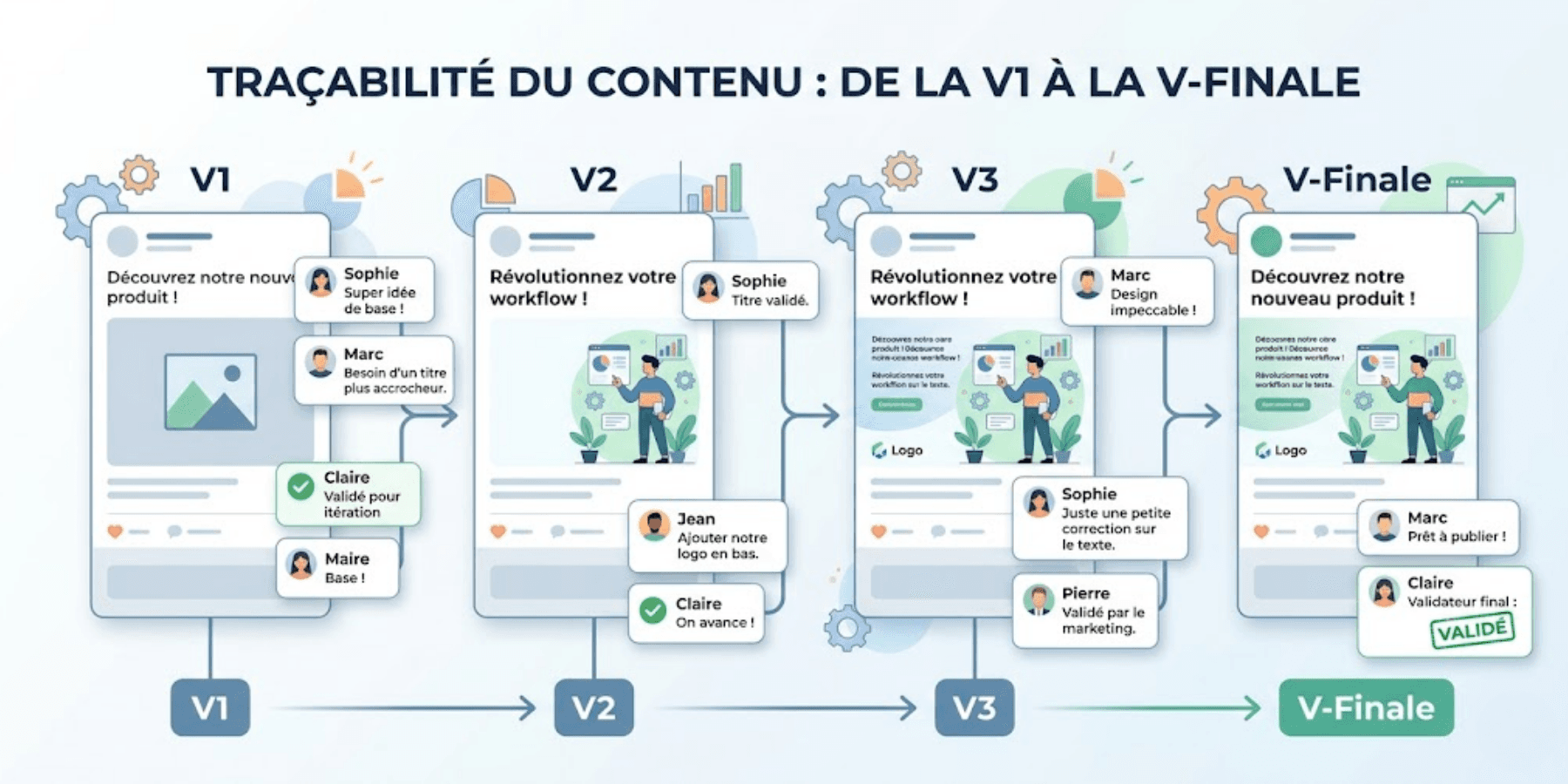
Feedback history allows you to find comments, annotations and validations associated with each version of a creative asset.
This traceability helps teams to better track the project and maintain global consistency.
Centralise discussions
In many organisations, feedback comes through multiple channels: emails, Slack, annotated PDFs or meetings.
This fragmentation significantly complicates approvals. Teams waste time finding the right information.
Centralising feedback in a single space streamlines exchanges and simplifies the tracking of corrections.
This centralisation also improves tracking of the editorial calendar and coordination between teams.
Better manage approvals
Feedback history also keeps a clear record of decisions made. Teams know who requested a change, when it occurred and which version was approved.
This visibility improves the management of creative projects and reduces misunderstandings. It also helps teams to create content that is more consistent and more relevant.
Comparing two pieces of content side by side: what are the benefits?
See differences immediately
Comparison tools allow you to display two versions side by side to quickly identify changes.
Teams can compare:
modified text;
a replaced image;
an adjusted colour;
a corrected layout;
a reworked video sequence.
This visualisation greatly simplifies validations.
It is particularly useful for video editing projects, marketing materials or content intended for social media.
Reduce back-and-forth
When changes are immediately visible, communication becomes smoother. Approvers spend less time checking content, and creative teams gain efficiency.
Feedback is more precise, and corrections progress faster. This organisation helps teams better structure their content marketing and validation workflow.
Improve content quality
Comparing versions ensures the quality of the content before publication. Teams easily detect remaining errors, inconsistencies or forgotten elements.
This method improves the reliability of validations. It also helps teams to create quality content and produce relevant content more easily.

How to compare content versions with Smartevo?
Display versions side by side
Smartevo makes it easy to compare two versions of creative content in the same space.
Users can visualise modifications side by side to quickly identify the changes made.
This feature is particularly useful for marketing visuals, videos or communication assets.
Find annotation history
Each version keeps its own history of comments, annotations and validations.
Teams can trace the feedback that led to the changes made.
This centralisation facilitates project tracking and improves collaboration between internal and external stakeholders.
Streamline creative workflows
By grouping versions, feedback and approvals into a single tool, Smartevo helps teams to better organise their workflows.
Projects become more fluid and validations faster. Marketing and communication teams thus gain visibility on their content and priorities.
Smartevo becomes a true creation and management tool for teams wishing to better structure their content creation.
Compare two PDFs by overlay
Smartevo now allows you to compare two versions of a PDF by overlaying them. This feature helps teams instantly visualise the differences between two documents without having to manually analyse each page.
Changes appear directly on screen: moved text, added elements, colour changes or graphic adjustments. This visual comparison saves time, reduces errors and secures validation cycles for creative content.
Smartevo: more than just a version comparison tool
Smartevo does not only allow you to compare content.
The platform also helps teams to:
centralise their projects;
annotate files;
manage approvals;
track versions;
structure creative workflows.
This approach sustainably improves collaboration between marketing, communication and creative teams, as well as external providers.
It also facilitates the teams' ability to produce content faster and improve their global organisation.
Comparing versions of creative content saves time, reduces errors and streamlines validations. Thanks to side-by-side comparison and annotation history, marketing and communication teams have better visibility over their projects. With Smartevo, creative workflows become simpler, faster and more efficient.
