Industry News
Online proofing: definition, benefits and key steps

The demand for creative content continues to grow. Brands must publish constantly to stay visible, while producing more formats, across more channels and with ever tighter deadlines. Between endless email threads, comments scattered across Slack or Teams, drawn-out meetings and multiple file versions, it becomes difficult for teams to remain agile without losing quality. Online proofing addresses this problem precisely by centralising feedback, approvals and versions in one place.
What is online proofing?
A centralised approval method
Online proofing refers to sharing content in order to obtain feedback, comments and approvals via a dedicated platform. This project methodology makes it easier to structure creative review and creative approval across all types of content.
Instead of multiplying exchanges by email, Slack or Teams, all feedback is brought together in one place.
A solution tailored to marketing content
Online proofing can be used for many formats: PDFs, videos, visuals, presentations, web pages or social media content. It is particularly useful for video approval, which often involves several stakeholders, several updates and several versions before reaching a final version.
An alternative to traditional approvals
Traditional methods often rely on files sent by email, screenshots, paper annotations or scattered conversations.
With online proofing, comments are directly linked to the content concerned. This brings greater clarity, better traceability and improved visibility over the project approval process.
Why are traditional methods no longer enough?
Emails and scattered files slow projects down
Approvals can take several days when you have to find the right contacts, consolidate feedback and check the latest versions.
An online proofing tool makes it possible to automate certain steps and notify the right people at the right time. Approval times are therefore reduced. These benefits help teams save time and limit delays.
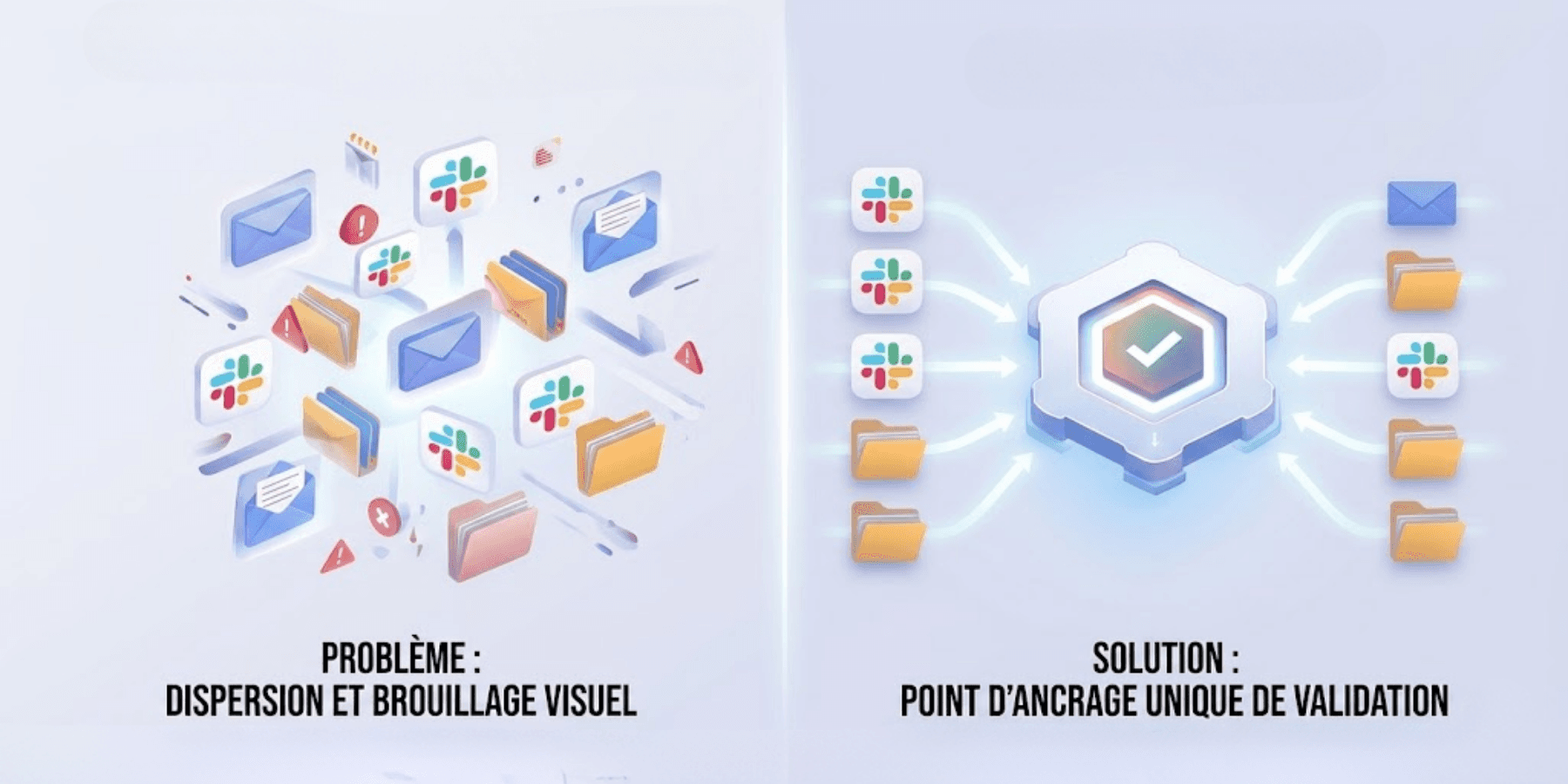
Approvals take too much time
Teams often spend a lot of time searching for files, checking versions or chasing stakeholders.
With a centralised platform, all content, comments and approval histories are quickly accessible.
Why does online proofing improve creative workflows?
Better visibility over approvals
Online proofing makes it possible to track the progress of content precisely. Teams know which files are awaiting approval, in progress or already approved.
This visibility makes project management, meeting deadlines and tracking each set objective easier.
More reliable version management
Content often goes through several versions before being approved. Without the right tool, it becomes difficult to know which file is the most recent.
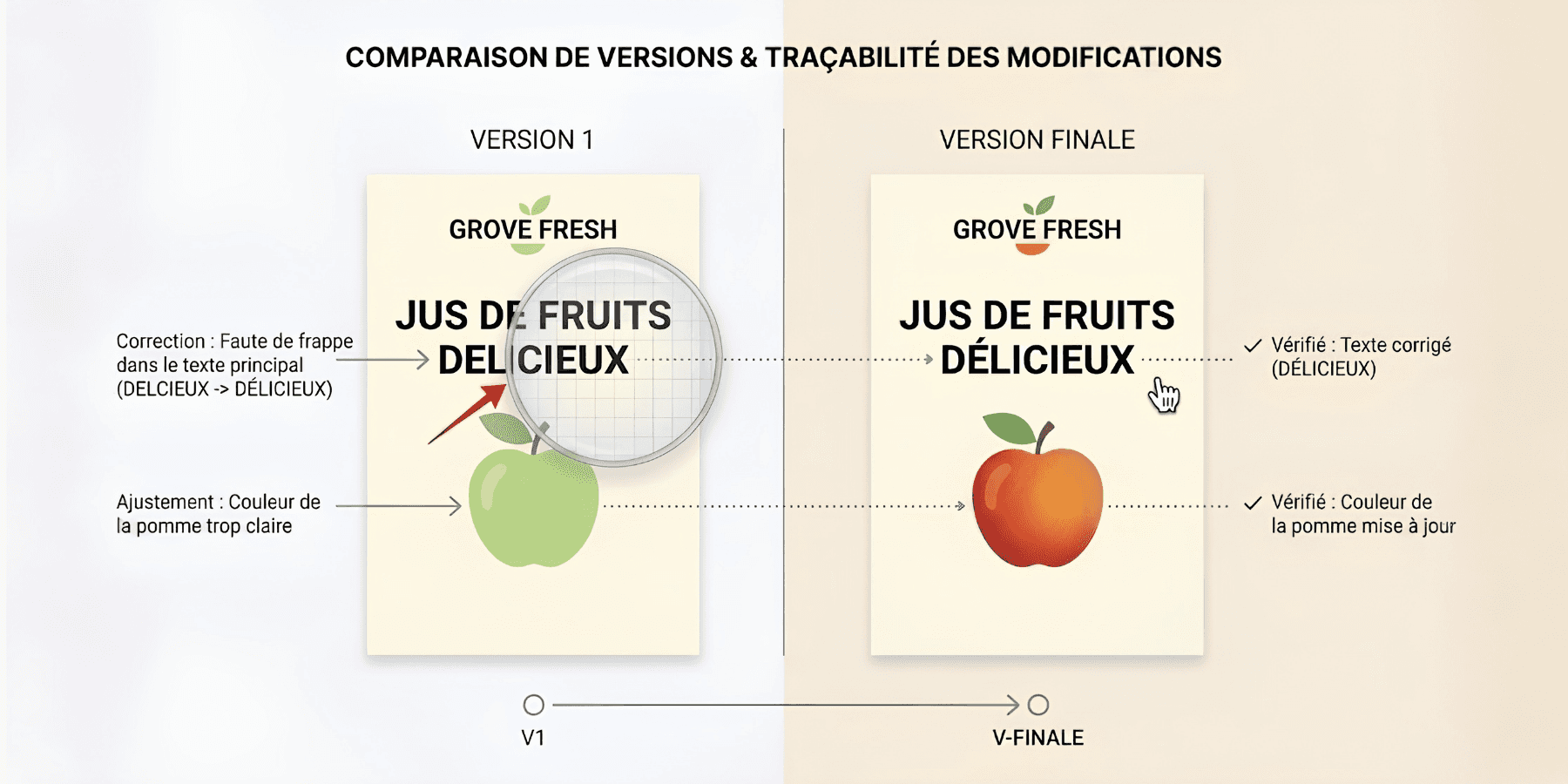
Online proofing makes it possible to keep a clear version history and compare the changes made.
Better control of marketing compliance
Some businesses have to meet strict compliance requirements: legal notices, legal approval, compliance with brand guidelines or communication rules.
Thanks to better traceability, online proofing helps teams check that all mandatory elements have been taken into account before publication.
The key features of an online proofing tool
Centralise all content and comments
A good online proofing tool should make it possible to bring together content, comments, screenshots, approvals and different versions in one place.
This centralisation improves project visibility, makes workflows easier to implement and avoids information loss.
Annotate content directly
Teams should be able to annotate content directly to indicate exactly what needs to be changed.
On a video, this may take the form of a comment at a precise timecode. On a visual, it may be an annotation on a specific area.
Define suitable workflows
Workflows make it possible to define the different approval stages and the people involved. This collaborative approval helps teams better structure exchanges and avoid oversights.
They also make it easier to manage project phasing, a project's lifecycle and the different stages of creative approval. This collaborative approval helps teams better structure exchanges and avoid oversights. They also help better manage project phasing and structure a project's lifecycle.
Each user knows when they need to step in. This organisation helps the project manager follow the project objective and each set objective.
Automate reminders and notifications
Automatic notifications make it easier to implement approvals, updates and deadline compliance.
This avoids manual chasing.
Connect online proofing with other tools
An online proofing tool should be able to integrate with the software already used by teams, such as project management tools, DAMs or Adobe suites.
These integrations help streamline exchanges and avoid duplicate entries. They also strengthen the use of a management tool and a management software package.
How does an online proofing process work?
1. Import the content to be approved
The process always begins by importing content into the platform. This may be a PDF, a visual, a video, a web page or a presentation.
Teams should use clearly named files that are easy to identify. This step helps to put in place a clear project methodology.
2. Define participants and roles
Once the content has been imported, the people who need to be involved in the approval must be identified.
Some people may only comment, while others have a final approval role.
3. Automate notifications and routing
Sending the right content to the right people at the right time can quickly become time-consuming.
Online proofing tools make it possible to automate content routing and notifications. They can also be linked to Gantt charts, a dashboard or management software to track priorities in real time.
4. Centralise feedback and manage versions
Feedback is added directly to content through annotations, comments and marking tools.
Teams can therefore avoid issues linked to incorrect versions, oversights or files sent to the wrong contacts. A new version can then be created and compared with previous ones to check that the changes have been properly incorporated.
5. Collaborate with internal and external teams
Online proofing also makes collaboration between internal teams, agencies, freelancers or clients easier.
All stakeholders can comment directly on the content. This makes it easier for team members to work and improves the professional experience.
6. Approve and pass on final files
Once the feedback has been incorporated, decision-makers can give their final approval directly in the platform.
Approved files can then be passed on to the relevant teams for distribution, printing or publication. Each final version remains accessible and can be easily found in the project history.
7. Keep a complete history
All project stages remain recorded in the tool. This visibility makes it easier to track a project's lifecycle and the different approvals.
Teams can retrieve old versions, comments and approvals. This history also helps with risk management, the validation of learning outcomes and experiential learning.
Why does Smartevo make online proofing easier?
Centralise feedback and content
Smartevo makes it possible to centralise all content, comments, approvals and exchanges in one place.
Teams can therefore easily track project progress and quickly find the right information.
Simplify approvals
The platform makes it possible to define approval workflows tailored to the needs of each project.
Teams know who needs to be involved, when, and at what approval level.
Improve collaboration
Smartevo makes exchanges easier between internal teams, agencies, freelancers and clients.
Comments are centralised and approvals are smoother.
Online proofing has become essential for teams that produce a large amount of content. By centralising feedback, approvals and versions, businesses save time, improve project management and secure every stage through to the final version.
